Use Cases
Tips on creating stunning mockups, marketing visuals, and making your products shine.

The complete 2026 app launch checklist: a 4-6 week timeline across pre-launch, launch day, and post-launch, plus every store, Product Hunt, and OG asset needed.

App Store screenshots in 2026: conversion-lift stats, the 7-second first impression, localization gains, and every required size — with real search data.

Arrows, highlights, and auto-numbered steps: the annotation workflow that makes tutorial screenshots readable, and the mistakes that scream MS Paint.

Blur emails, names, and API keys in a screenshot in your browser, free. When blur is enough, when to redact instead, and the two-minute workflow.

The store-submission walkthrough for vibe-coded apps: accounts, builds, the listing, exact screenshot sizes, and review pitfalls that reject wrapped web apps.

Write a converting App Store and Google Play description with AI in 2026. Structure, ASO basics, a reusable prompt template, localization, and mistakes to skip.

Launch a Chrome extension in 2026: prep the listing, build the required images (1280x800 screenshots, 440x280 and 1400x560 promo tiles), publish, and amplify.

You vibe-coded an app with Lovable, Bolt, Cursor or Replit. Now launch it: the exact visual assets every store, landing page and Product Hunt post needs.

A practical 2026 guide to where to launch your app: Product Hunt, Show HN, BetaList, Peerlist, Reddit, and more, plus the exact assets each one needs.

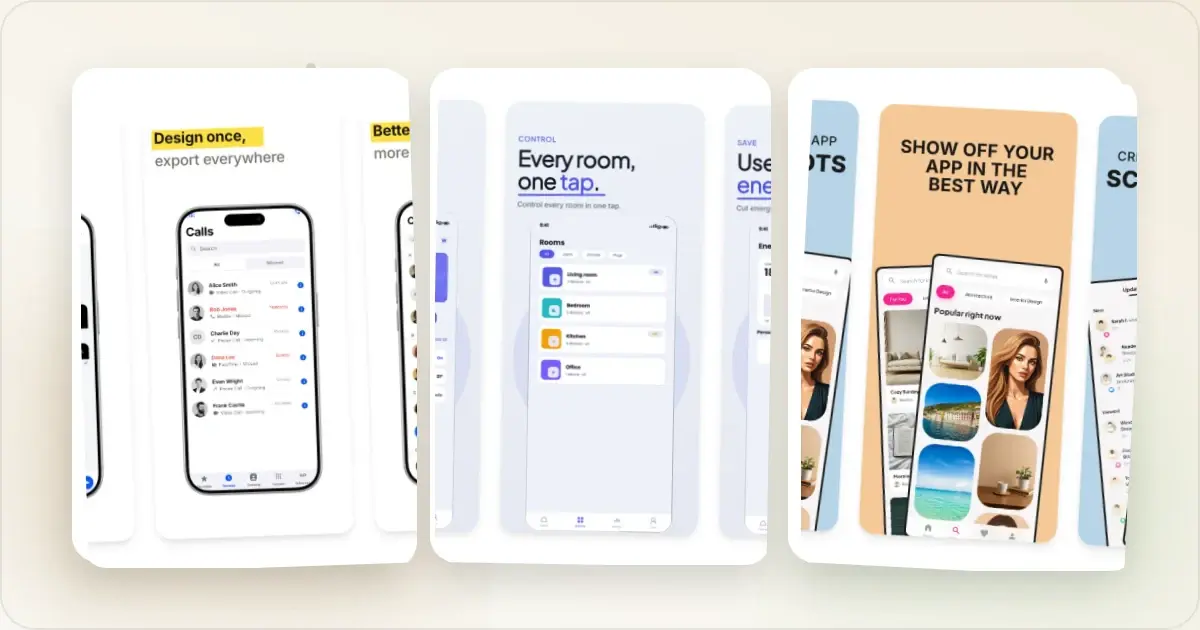
The 9 best App Store screenshot generators in 2026, compared honestly on price, animated export, localization, device frames, and direct publishing.

The best Play Store screenshot generators in 2026, compared on price, phone + tablet sizes, Android device frames, animated export, and free tiers.

How to create Apple Watch mockups that sell a watchOS app: choosing 46mm vs 42mm, capturing clean watch screenshots, and the iPhone-plus-Watch layout.

Why the Pixel is the default frame for Android-first marketing: Pixel vs Galaxy, Play Store screenshots, and what makes Android mockups look fake.

How to create App Store screenshots for France in 2026: accent handling, vous vs tu register, Quebec vs France French, and shipping a French set fast.

App Store screenshots for Germany in 2026: handling 30-40% text expansion, GDPR-friendly visuals, formal vs informal register, and shipping a German set.

How to create App Store screenshots for Japan in 2026: what to translate, glyph density gotchas, and shipping an 8-screenshot Japanese set in under an hour.

App Store screenshots for South Korea in 2026: Hangul glyph density, KakaoTalk-aware sample content, formal vs casual register, and shipping a Korean set.

An honest analysis of AI mockup generators in 2026: what they do well, where they fail (dimensions, consistency, brand), and why curated templates still win.

Four tools for animated app demos in 2026 compared honestly: Screen Studio, Jitter, Rotato, and Screenhance. Price, output, and which to pick.

32 App Store screenshot patterns from top-grossing apps in finance, productivity, health, and games: what each shows and why it drives tap-through.

7 mockup tools ranked for mobile app launches in 2026: App Store screenshot sets, Google Play sizes, localization, and animated Product Hunt galleries.

8 mockup tools ranked for web designers in 2026: browser frames, responsive previews, Figma plugins, and dedicated apps. Honest pros, cons, and pricing.

9 tools indie SaaS founders use in the first 30 days of 2026: Stripe, Resend, PostHog, Linear, Screen Studio, Screenhance, and more. Honest picks, real prices.

The 2026 iPhone 17 mockup guide. Exact dimensions for iPhone 17 Pro Max (1320×2868), 17 Pro (1206×2622), and iPhone Air (1260×2736), plus App Store sizes.

12 sources for free transparent iPhone mockup PNGs in 2026. Apple's official frames, Figma plugins, download bundles, and when to switch to a generator.

2026 indie SaaS workflow: Screen Studio for video demos ($89 one-time), Screenhance for App Store screenshots and OG cards ($6 Launch Pass). Where each wins.

A 2026 map of screenshot tools: capture (CleanShot X), recording (Screen Studio), mockup generators (Screenhance, Shots.so), and the 2-tool stack teams need.

You don't need a designer or Photoshop to create professional App Store screenshots. Here's how indie developers and small teams do it in minutes.

Before and after comparisons are powerful marketing tools. Learn how to create them effectively for maximum impact.

Browser mockups make your web app look professional. Learn when to use them, which styles work best, and how to create them quickly.

Developers need different screenshot tools than designers. Here are the best options for code snippets, terminal output, and technical documentation.

The exact pixel dimensions Google Play requires for phone, tablet, Chromebook, and Wear OS screenshots in 2026, with tips to get approved fast.

Learn how to create professional mockups from scratch. Step-by-step guide covering device frames, backgrounds, and export settings.

Your app screenshots can make or break conversions. Learn how to present them effectively for app stores, websites, and marketing.

Your screenshots look amateur? Here's how to capture clean, professional screenshots that make your product shine.

Need a free iPhone 15 Pro mockup? Here's how to create stunning device mockups without Photoshop or design skills.

Need a free iPhone 16 mockup? Create professional device mockups with the latest iPhone 16 and iPhone 16 Pro frames. No Photoshop or design skills required.

LinkedIn rewards visual content. Learn how to create professional screenshots and mockups that drive likes, comments, and connections.

Create free MacBook Pro and MacBook Air mockups for your SaaS, portfolio, or pitch deck. No Photoshop needed — just upload your screenshot and export.

Compare the pros and cons of Figma, Photoshop, and dedicated mockup tools. Find out which option saves the most time for creating device mockups.

Make your Notion pages look professional with custom cover images. Here's how to create them using screenshots and mockups.

Choosing the wrong image format hurts quality or bloats file sizes. Here's when to use PNG, JPEG, and WebP for screenshots.

Your portfolio screenshots determine whether you get hired. Here's how designers and developers should present their work professionally.

Exact 2026 Product Hunt gallery (1270 x 760), thumbnail, logo, and maker image dimensions, plus 6 gallery templates that rank in the top 5 of the day.

Your Product Hunt gallery can make or break your launch. Here's how to create visuals that grab attention and drive upvotes.

Your landing page hero image is the first thing visitors see. Here's how to create product mockups that turn visitors into signups.

Your landing page screenshots can convert visitors or lose them. Learn how to present your product in the best light with professional mockups.

Stop using plain white backgrounds for your screenshots. Here are 50 background ideas — gradients, mesh, glass, and aurora styles — organized by use case.

Turn boring screenshots into professional visuals with free online screenshot beautifiers. No design skills needed.

These common mistakes are hurting your product's image. Learn what to avoid and how to fix each one.

What size should your screenshots be? Here are the exact dimensions for App Store, social media, websites, and more.

Plain screenshots get scrolled past. Here's how to create scroll-stopping visuals that get engagement on Twitter, LinkedIn, and beyond.

Your startup's visual presentation affects credibility. Learn how consistent screenshot styling builds brand trust from day one.

Twitter is visual. Learn how to create scroll-stopping screenshots that get likes, retweets, and followers.

Everything you need to know about mockups. Learn what they are, why they matter, and how to use them for your product or business.

The 2026 playbook for App Store screenshots that convert: 1290 x 2796 sizes, a 7-screenshot framework, headline patterns, A/B testing, and rejection fixes.

Every Google Play Store screenshot dimension you need in 2026. Phone, tablet, and Chromebook sizes with exact pixel requirements and aspect ratios.

Every required size: 1320×2868, 1290×2796, 1242×2688, 1284×2778, iPad 2064×2752 and more, plus the fastest fix for the App Store Connect wrong dimensions error.

The ASO screenshot practices that actually move the needle in 2026. Learn what makes users tap Install based on real data, not guesswork.

We tested 10 mockup generators in 2026 — honest pros, cons, and pricing, plus the best free and AI mockup tools, and which ones do animated exports.

We tested 8 free mockup generators in 2026 and ranked them by speed, quality, and device frame variety. See which ones are actually worth using.

Stay ahead of the curve. Here are the mockup design trends dominating 2026—and the outdated styles to avoid.

Should you invest in app preview videos or focus on screenshots? Data-backed analysis of when video wins, when stills win, and how to combine both.

The hub for per-market App Store screenshot guides: which markets to prioritize, what to change, and how to ship every market from one master set.

A direct comparison of Apple App Store and Google Play Store screenshot requirements. Sizes, limits, review rules, and design strategies for each platform.

Android's device diversity is a marketing challenge. How to pick the right Android frames, create Play Store screenshots, and handle cross-platform mockups.

Compare the best tools for creating Product Hunt gallery images. Screenhance, Figma, Canva, Photoshop, and Shots.so: honest pros, cons, and pricing.

A roundup of the best screenshot beautifier and mockup tools in 2026. Honest reviews of Screenhance, Shots.so, Canva, SmartMockups, Placeit, and more.

Browser mockups are essential for marketing web applications. Learn best practices for SaaS demos, documentation, changelogs, and more.

Text-only changelogs get ignored. Learn how to add product screenshots and visuals to your release notes so users actually see what changed.

Manually creating OG images doesn't scale. How to auto-generate social cards for blogs, e-commerce, and SaaS pages, and when to use each approach.

Product screenshots in emails drive clicks, but most are done wrong. Learn the best practices for including product visuals in your marketing emails.

Most hero images look great on desktop and terrible on mobile. Here's how to build responsive hero visuals that work beautifully on every screen size.

Most OG images get ignored. Here's how to create social cards for Twitter and LinkedIn that actually drive clicks to your content.

iPad mockups require a different approach than phone or laptop frames. Learn iPad-specific best practices for education apps, creative tools, and more.

Learn how to create iPhone mockups that drive downloads and signups. Covers best practices for app marketing, showcase contexts, and common mistakes to avoid.

Learn how to design landing page hero images that grab attention and drive signups. Practical tips on layouts, device frames, and above-the-fold impact.

Complete guide to LinkedIn image sizes, design best practices, and what visual content actually drives engagement on the platform's professional audience.

Learn how to use MacBook mockups to market your SaaS product effectively. Covers landing pages, pitch decks, social media, and best practices for laptop frames.

Most teams create one OG image and never test it. Here's a practical framework for A/B testing social share images to find what drives the most clicks.

What drives OG image click-through in 2026: headline patterns that convert, A/B testing frameworks, and tactics for Twitter/X, LinkedIn, and Slack.

You don't need Figma or a designer to create professional OG images. Here are the best free tools and how to use them.

OG image size is 1200×630 px (1.91:1 ratio). Get the exact dimensions for Facebook, X (Twitter), LinkedIn, Slack, Discord & WhatsApp, plus file-size limits.

Most pitch decks have terrible product screenshots. Learn how to present your product visually so investors take your startup seriously.

A detailed comparison of Placeit and Screenhance for creating mockups. Covers pricing, template quality, export formats, and which tool delivers better value.

Everything you need for Play Store screenshots: exact dimensions, design tips, Android vs iOS differences, and templates that drive downloads.

When to use GIFs in your Product Hunt gallery, when to stick with static images, and how to create animations that load fast and communicate clearly.

Analyze the visual patterns behind successful Product Hunt galleries. Learn the structures, styles, and strategies that top-voted products use to win upvotes.

The 2026 Product Hunt launch checklist for makers: the right day to launch, a 14-day prep runway, the launch-day timeline, and the 8 mistakes to avoid.

Go beyond pretty screenshots. Learn the visual psychology and strategic thinking behind Product Hunt launches that break out with hundreds of upvotes.

Feature sections sell your product, but most SaaS teams use raw screenshots that look amateur. Here's how to design feature screenshots that convert.

A detailed comparison of Screenhance and Canva for product mockups. Which tool is better for screenshots, device frames, and marketing visuals.

Honest 2026 comparison: the 5 most popular Figma device mockup plugins versus dedicated tools. Speed, frame variety, App Store sets, and animation.

A fair comparison of Screenhance and Shots.so for beautifying screenshots. Features, pricing, and use cases covered in detail.

An in-depth comparison of Shots.so and Screenhance for 2026. Covers pricing, export options, templates, device frames, and which tool fits your workflow.

A fair comparison of SmartMockups and Screenhance for creating device mockups. Covers ease of use, customization, pricing, and the best use case for each tool.

Every SaaS startup needs the same visual assets, but most teams create them inconsistently. Here's the complete checklist organized by where each image goes.

The definitive 2026 guide to Twitter/X card image sizes. Exact dimensions for summary cards, large image cards, in-stream photos, and more.

Turn plain website screenshots into polished mockups with browser frames, backgrounds, and multi-device layouts. A complete guide.