
%2FOlivia%20Rhye.webp&w=64&q=75)
%2FPhoenix%20Baker.webp&w=64&q=75)
%2FLana%20Steiner.webp&w=64&q=75)
%2FDemi%20Wilkinson.webp&w=64&q=75)
%2FDrew%20Cano.webp&w=64&q=75)
2×
FOCUSClick-to-place zoom
Zoom into the exact part of the recording that matters so the viewer's eye follows the action. This is the signature effect that turns a raw capture into a guided walkthrough.
Need Screen Studio on Windows? Screenhance Studio works in the browser on Windows, Linux, and macOS. Record your screen, camera, or both, add editable zooms and device frames, and export a finished demo video without installing a desktop editor. Free to start.
Free to start · No signup to try · Works on macOS, Windows and Linux
Loved by 3,000+ creators
Free to start. No app to install. Works on macOS, Windows, and Linux.
A browser-native studio
Move from a real Chrome capture to guided zoom and a launch-ready export without changing machines, installing a Mac app, or rebuilding the story in another editor.
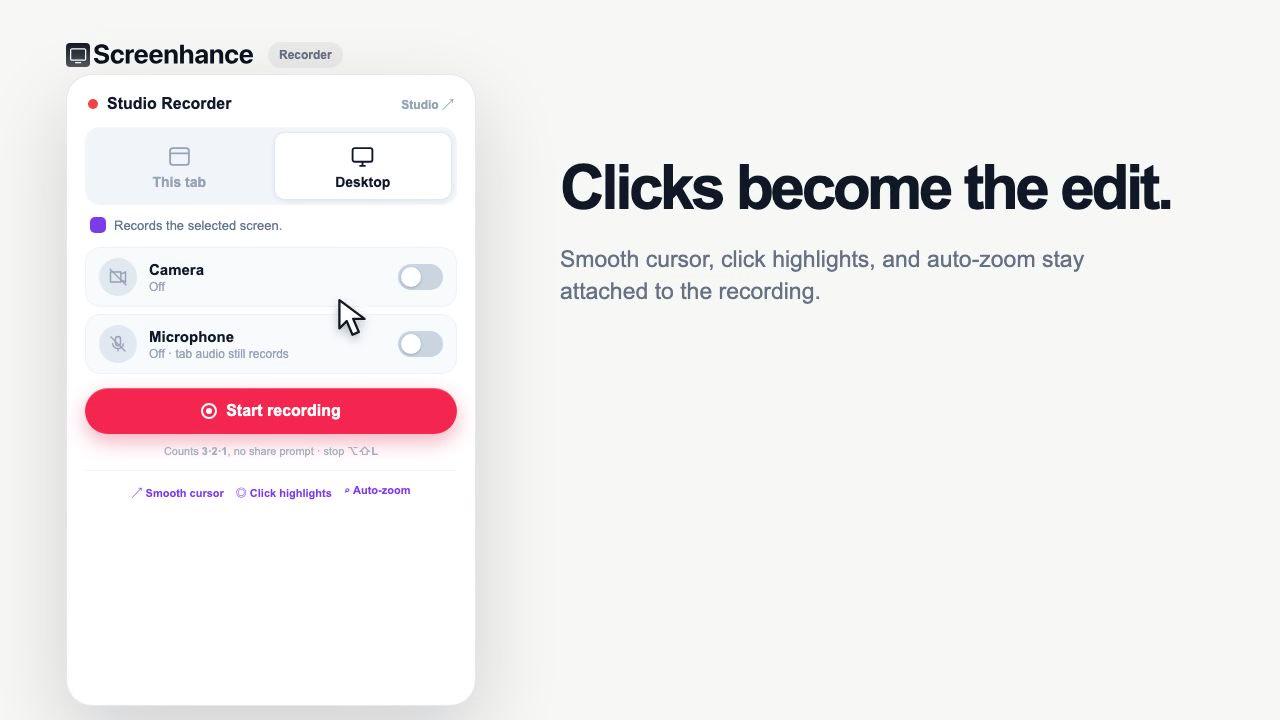
The recorder keeps the cursor path and click moments with the take, giving Studio real interaction data to polish instead of baking every movement into the pixels.
Studio capabilities
The effects that make Screen Studio videos look polished, rebuilt around a browser workflow that anyone on the team can open.
Zoom into the exact part of the recording that matters so the viewer's eye follows the action. This is the signature effect that turns a raw capture into a guided walkthrough.
Choose Screen, Camera, or Both. In a combined take, the face camera remains a separate layer while microphone narration stays with the main recording.
Wrap the recording in realistic device frames or macOS and browser window chrome, set over gradient and preset backgrounds for an on-brand finish.
Add captions with custom fonts, drop in annotations to call out details, and layer stickers where you need emphasis.
Square, portrait, and landscape are all one click apart, so the same recording ships to social, YouTube, or a landing-page hero.
Export a recorded Studio project as MP4 or WebM. Use the Visual Editor when the job is a designed GIF loop or template-driven motion graphic.
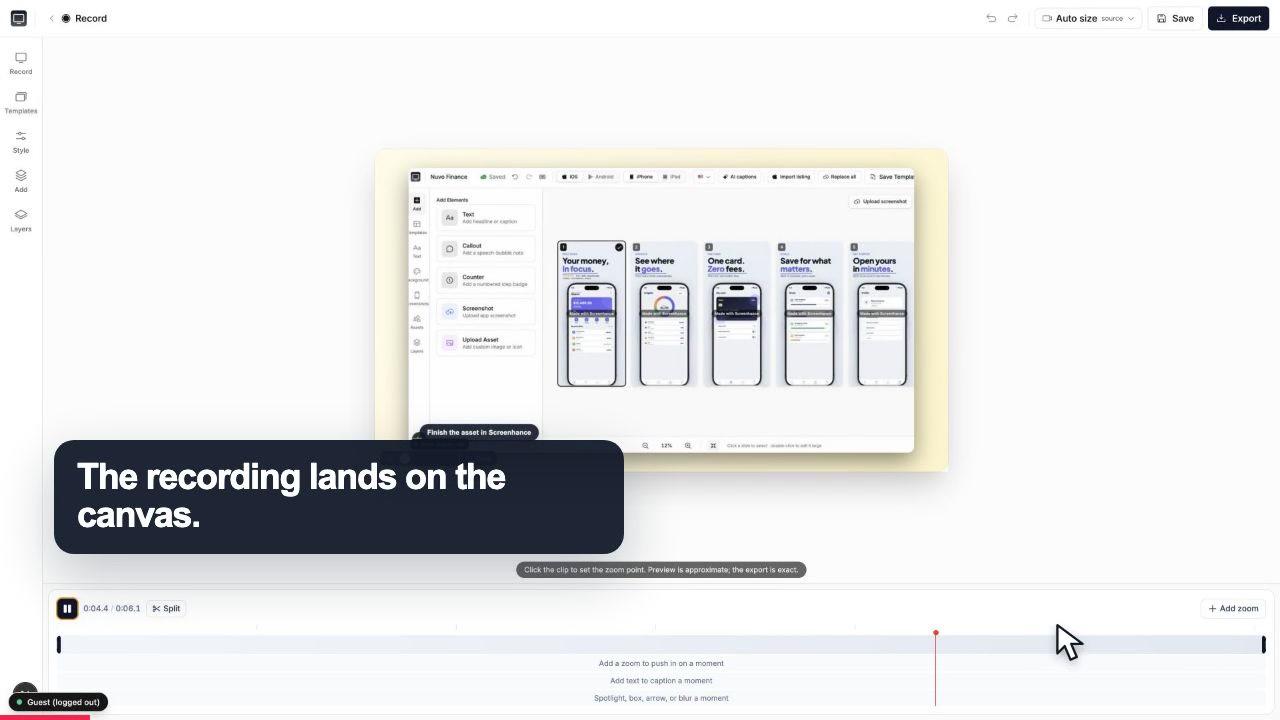
The recording lands on a clean canvas with the timeline ready underneath.
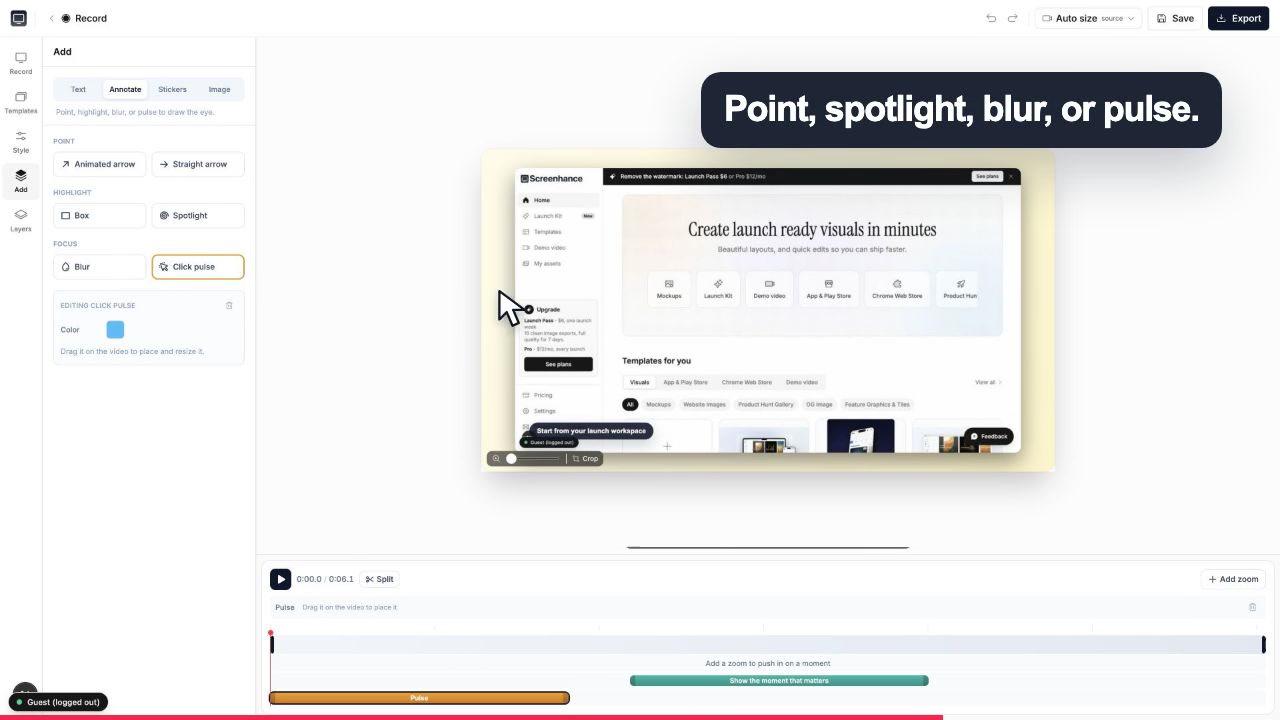
A click pulse and caption make the exact interaction obvious before the camera moves.
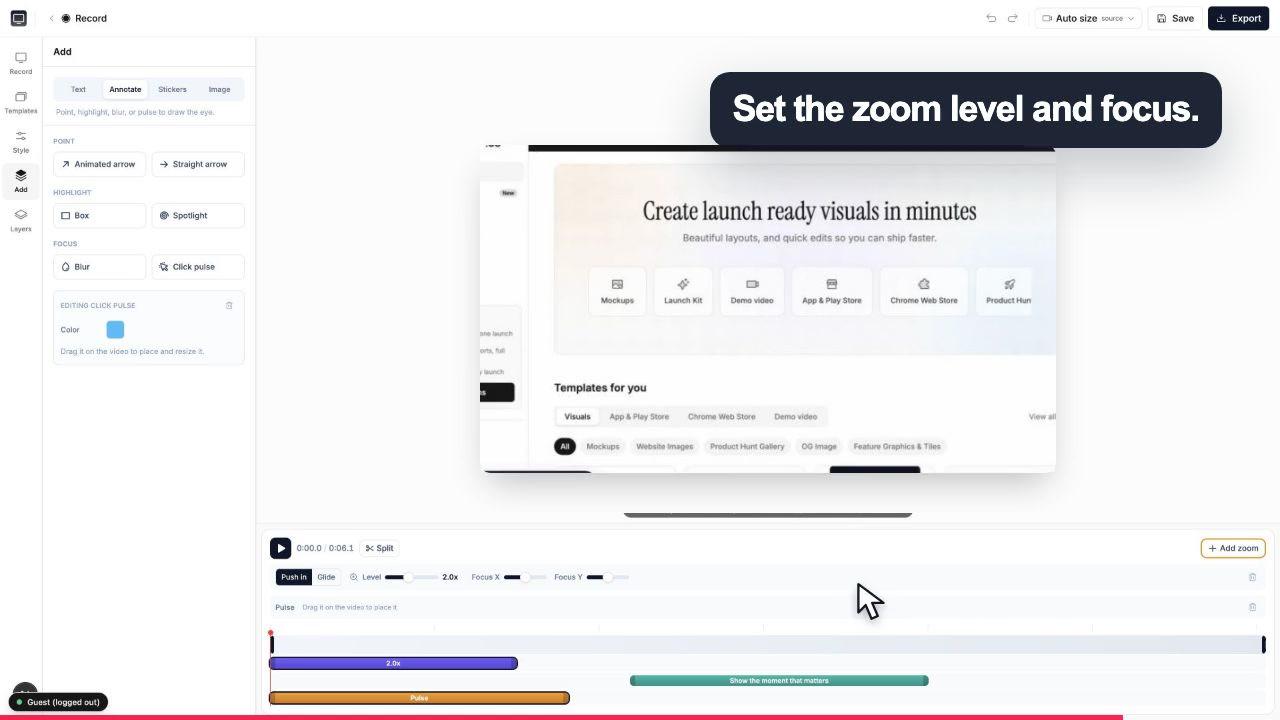
Choose the zoom level and focal point while the real controls stay visible around the canvas.
Both products make polished screen recordings. The meaningful difference is where recording starts and whether the work ends with the video or continues into the surrounding launch assets.
Screenhance Studio
Browser app on macOS, Windows, and Linux; optional Chrome extension
Screen Studio
Native macOS app; macOS Ventura 13.1 or newer is recommended
Screenhance Studio
Screen, Camera, or Both in Studio; tab, window, or full screen through the browser share picker
Screen Studio
Display or window, webcam, microphone, system audio, and wired iPhone or iPad capture
Screenhance Studio
Editable zooms; the Chrome extension keeps precise click and cursor data for normal-tab recordings
Screen Studio
Automatic and manual zoom, cursor smoothing, cursor resizing, and cursor hiding
Screenhance Studio
MP4 or WebM from Studio, with landscape, square, and vertical layouts
Screen Studio
MP4 or GIF, with exports advertised up to 4K at 60fps
Screenhance Studio
App Store and Play Store sets, mockups, OG cards, launch graphics, and Visual Editor motion
Screen Studio
A focused screen-recording and video-editing workflow
Screenhance Studio
Free to start; clean Studio video is included in Pro at $12/month or $99/year
Screen Studio
$29/month, or $9/month when billed yearly
Screen Studio facts and pricing checked 1 September 2026 against its official product page, export guide, and download page. Screenhance facts were checked against the current recorder and Studio implementation.
Screenhance supports both, but it keeps their controls appropriate to the source instead of pretending a recording and a template animation are the same thing.
Capture a real screen, camera, or both. Trim the take, place zooms, frame the video, add captions, and export MP4 or WebM.
Compare recording modesAnimate screenshots, devices, text, and layout elements inside an editable design. Export a GIF or video when the destination needs a designed loop rather than a walkthrough.
Browse motion templatesA desktop application with its own install, update cycle and supported operating systems.
Open the editor in a Chromium browser, record or import a take, then edit and export from the same workspace.
Screen Studio is a polished native macOS recorder with automatic and manual zoom, cursor smoothing, selectable system audio, wired iPhone and iPad capture, and MP4 or GIF export advertised up to 4K at 60fps. If those Mac-specific recording capabilities define the job, it is a strong, focused choice.
The moment you want to avoid a desktop install, work on Windows or Linux, hand the tool to a teammate on another operating system, or test the full workflow before paying, Screenhance's browser path becomes the practical fit. Record directly in Studio, or install the optional Chrome extension when cursor and click data from a normal browser tab matter.
Screenhance also continues beyond the recording. The wider platform produces your App Store screenshots, your device mockups, and your OG images. So the demo video, the store gallery, and the launch graphics all come out of one place as part of Launch Kit. That keeps the video, store gallery, mockups, and launch graphics inside one product system while preserving separate editing workspaces for recorded video and designed visuals.
You are on Windows or Linux and Screen Studio was never an option. Record a clean demo without switching machines.
Record the product walkthrough, cut the App Store gallery, and export the OG image without leaving one tool.
Give every contributor the same browser-based workflow, avoid per-seat desktop installs, and keep demos consistent by using the same brand settings, frames, and fonts.
Start free, place a few zooms, and see the finished video before deciding whether the Pro plan is worth it.
Yes, if you want a browser-based product-demo workflow on macOS, Windows, or Linux. Record a screen, camera, or both, add editable zooms, frames and captions, then export MP4 or WebM. Screenhance's separate Visual Editor handles template-driven GIF and video motion for launch graphics.
No. You can record directly in Studio without installing a desktop app. Screenhance also offers an optional Chrome extension when you want toolbar access and precise cursor and click data from a normal browser tab.
Yes. You can place and edit zooms around the part of the recording that matters. When you record a normal tab with the Chrome extension, Screenhance also keeps click coordinates that can guide zoom and click treatments in Studio.
Yes. Record Screen, Camera, or Both directly in Studio. In Both mode, the face camera remains a separate layer that you can move, resize, reshape, or remove without removing microphone narration from the main take.
Studio exports recorded demos as MP4 or WebM in square, portrait, or landscape layouts. For lightweight GIF loops and designed motion graphics, use Screenhance's Visual Editor and motion templates.
It is free to start, and free exports include a small Screenhance watermark. Removing it from video takes the Pro plan at $12 per month or $99 per year; the $6 Launch Pass removes it from image exports only (10 over 7 days), so video stays watermarked on it.
Screen Studio is a strong choice when you specifically want a native macOS recorder with automatic and manual zoom, system-audio controls, wired iPhone or iPad capture, and MP4 or GIF export up to 4K 60fps. Screenhance is the stronger fit when browser access, Windows or Linux support, and the surrounding mockup, store-listing, social, OG, and motion workflow matter.
The Studio recording workspace is part of the wider Screenhance platform. In the same account, the Visual Editor and store-set builder create App Store screenshots, device mockups, OG images, motion graphics, and coordinated Launch Kits.
Still weighing it? The editor is free and opens in one click: open Studio →
Record, edit, frame, and export the next version of your product video.
Polished demo videos with click-to-place zoom
Start creatingRecord, click-to-zoom, frame, and export a demo video
Start creatingFrame, caption, zoom, and export a raw recording as a polished MP4
Start creatingRecord, zoom, and export MP4 demo videos for SaaS
Start creatingRecord, zoom into each step, and export a how-to video
Start creatingRecord, zoom, and caption product onboarding videos
Start creatingClick-to-place zoom, device frames, and MP4 export. No download, on any OS, free to start.