Use Cases
Drop in a raw screen recording and walk out with a polished, shareable video. Add framing, a background, and click-to-place zoom, then export a real MP4 in a focused browser editor—no heavyweight desktop install.
Loved by 2,000+ creators
Free to start · No signup to try · Works on macOS, Windows and Linux
Keep the real interaction, then add the captions, timing and camera direction that make the finished video easy to follow.

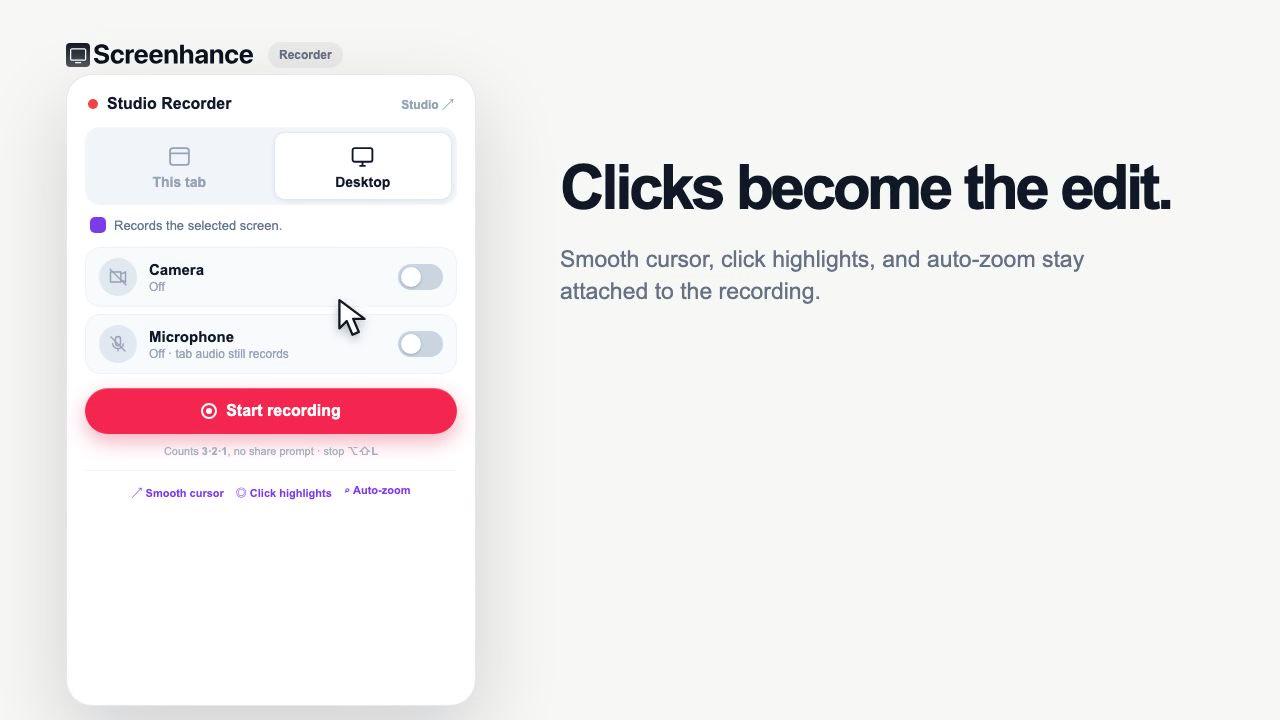
The extension keeps the cursor path and clicks with the take.

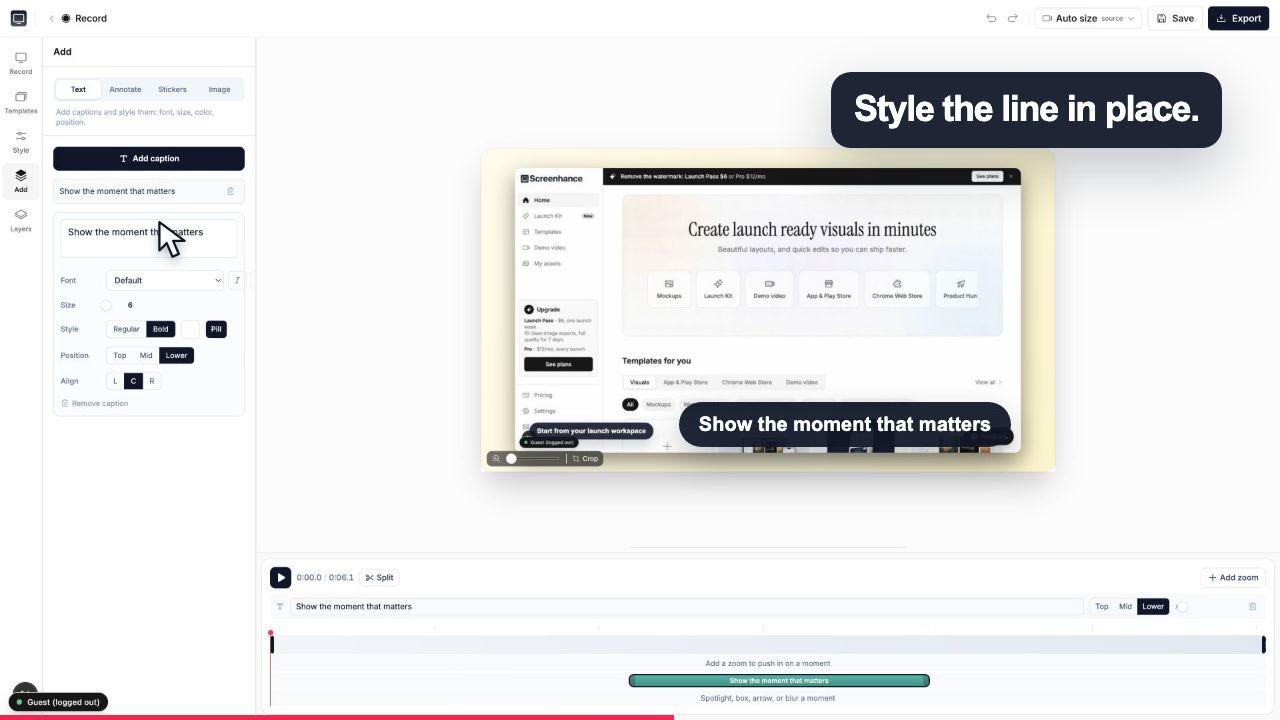
Add captions, effects and timing without leaving the browser.
Turning a screen recording into a video can mean two different things. Screenhance does both.
Sometimes you only need to change the file type, for example a WebM capture into an MP4 so it plays everywhere. That is a format conversion: the content stays the same. Screenhance exports a real MP4, so a plain conversion is a subset of what it does.
More often you want the recording to actually look good: device framing, a background, click-to-place zoom, and captions that make the flow easy to follow. That is beautifying, and it is where a bare converter stops and Screenhance keeps going.
Record your screen, or drop in a recording you already have. Screenhance runs in the browser on any OS.
Add a background, device framing, captions and click-to-place zoom. Pull colors and fonts from your brand kit, then place each edit on the focused timeline.
Export a real MP4 for a hero clip, an App Store preview, a social post, or a YouTube upload for Product Hunt.
Turn a short capture into an MP4, upload it to YouTube, and add the full URL to your launch gallery.
Show the product moving above the fold with a clean, autoplay-ready MP4.
Frame the recording and export at App Store preview sizes for the store listing.
Ship a polished clip in the launch thread instead of a raw screen grab.
Record your screen, drop the capture into Screenhance, add a background, framing, captions and click-to-place zoom, then export a real MP4. The focused timeline keeps those edits visual and easy to place in the browser.
Converting just changes the file format, for example from WebM to MP4, and leaves the content untouched. Beautifying reshapes the recording into a polished video with a background, device framing, zoom, and captions. Screenhance does both: it beautifies your raw capture and exports it as a real MP4.
Yes. Screenhance Pro exports a clean MP4 straight from the browser, ready for a landing page, social post, App Store preview, or upload to YouTube for a Product Hunt gallery.
No. Screenhance runs in the browser on Mac, Windows, and Linux. You record in a Chromium browser and can edit and export from anywhere, with no desktop app to buy.
You can start for free with a watermarked preview. Pro removes the watermark and unlocks video export at 12 dollars a month, and the same plan covers your App Store screenshots, mockups, and OG images too.
Yes. You place an eased zoom exactly where the important click happens, so viewers never miss the moment that sells the product. It is click-to-place, so there are no keyframes to manage.
Yes. Screenhance pulls colors and fonts from the same brand kit that made your App Store screenshots, mockups, and OG images, so the video reads as part of one cohesive launch.
Turn a screen recording into a launch-ready demo video from templates.
Record a tab with real cursor and click data for smooth motion and auto zoom.
Browser-based and cross-platform, at 12 dollars a month. No macOS-only lock-in.
Every launch visual from one brief: App Store, Product Hunt, OG, and website.
Explore more ways to create stunning visuals with Screenhance.
Create stunning iPhone device mockups
Try it freeShowcase apps in iPad Pro and Air frames
Try it freePut an interface or creative on a photorealistic television
Try it freeRealistic Pixel 9 Pro frames, stock Android
Try it freeAdd Chrome, Safari, and Firefox frames
Try it freeResolve the App Store Connect wrong-dimensions error
Try it freeDrop in a raw capture, beautify it, and export a real MP4. In your browser, free to start, on any OS.