
%2FOlivia%20Rhye.webp&w=64&q=75)
%2FPhoenix%20Baker.webp&w=64&q=75)
%2FLana%20Steiner.webp&w=64&q=75)
%2FDemi%20Wilkinson.webp&w=64&q=75)
%2FDrew%20Cano.webp&w=64&q=75)
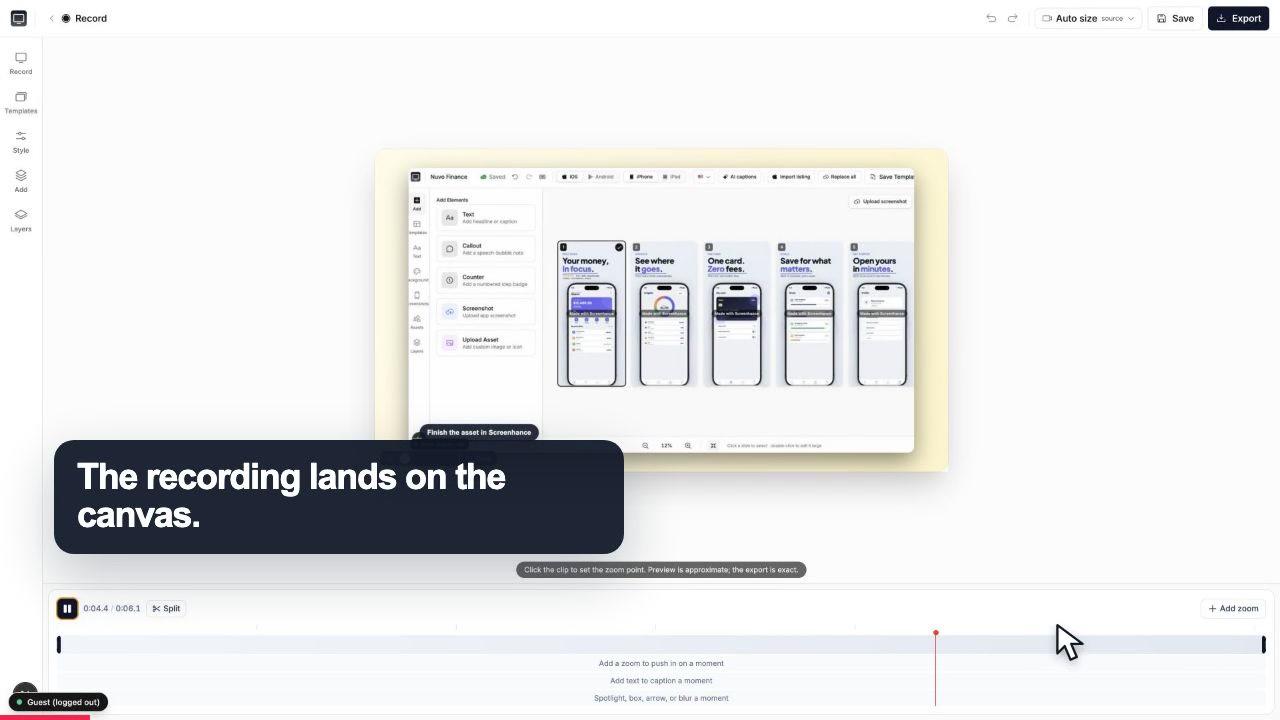
Start with the whole screen
0:07The recording lands on a clean canvas with the timeline ready underneath.
Record your app, zoom into the features that matter, frame it, and export an MP4 demo video for your landing page, your ads, or your Product Hunt launch. On-brand and fast, right in the browser.
Free to start · No signup to try · Works on macOS, Windows and Linux
Loved by 3,000+ creators
Record, then zoom and frame, then export. The whole demo comes together in one browser tab.
Open Studio in the browser and record your screen, with your webcam too if you want a face on it. No download, and it works on macOS, Windows, and Linux. Walk through the flow you want prospects to see.
Click the exact part of the recording that matters to place a zoom that guides the viewer's eye. Wrap it in a device or browser frame over a gradient background, and add captions, annotations, and stickers to make it on-brand.
Pick square, portrait, or landscape for wherever the video is going, then export MP4 or WebM (or GIF). Drop it straight into your landing page, an ad, or your Product Hunt gallery.
Studio is a recorder and a demo-video editor in one. Record the app, then shape it into something that sells.
The signature feature. Click the button, metric, or result that matters and Studio zooms in, then back out, so the viewer's eye follows exactly what sells your product instead of scanning a full-screen recording.
Record your screen, and optionally your webcam, right in the browser. Nothing to install, and it runs on macOS, Windows, and Linux. Founder-led demo or straight product walkthrough, both start with one click.
Wrap the recording in realistic device frames and macOS or browser window chrome, set over gradient and preset backgrounds, so a raw capture looks like a designed product video.
Add captions in custom fonts to narrate the flow without a voiceover, plus annotations and stickers to call out features. On-brand text and callouts, without leaving the editor.
Square, portrait, and landscape. The same demo becomes a landing-page hero, a YouTube video, and a vertical clip for social, without re-recording. Export the right shape for each place.
Export MP4 and WebM for landing pages and ads, publish a public YouTube version for Product Hunt, or use a GIF for a lightweight looping preview in docs or a README. One recording, adapted for each launch surface.
A raw screen recording asks a lot of the viewer. Your product is on screen, but so is everything else, and the one moment that proves your value scrolls by with nothing pointing at it. Most software demos lose people right there, in the gap between showing the app and making them notice the part that matters.
Studio's click-to-place zoom closes that gap. You click the exact spot in the recording where the important thing happens, the button that triggers the magic, the number that jumps, the result that appears, and the video zooms in on it and then eases back out. The viewer's eye is guided instead of guessing. For a SaaS demo, that guidance is the difference between a video people watch and a video that actually explains why to sign up.
Around the zoom, the frame, background, and captions do the rest of the work. The recording sits in a clean device or browser frame over a background that matches your brand, captions narrate the flow without a voiceover, and a ready-made template means you are shaping a demo, not starting from a blank timeline. On-brand and fast, both at once.
The recording lands on a clean canvas with the timeline ready underneath.
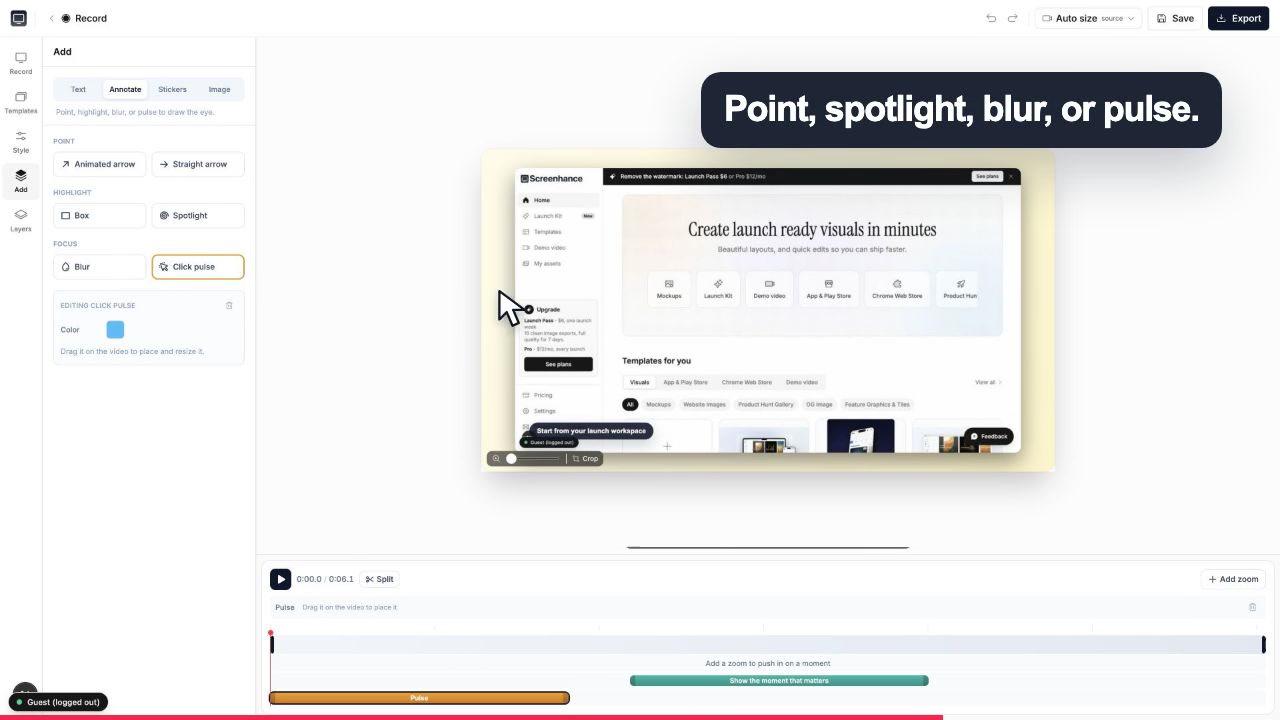
A click pulse and caption make the exact interaction obvious before the camera moves.
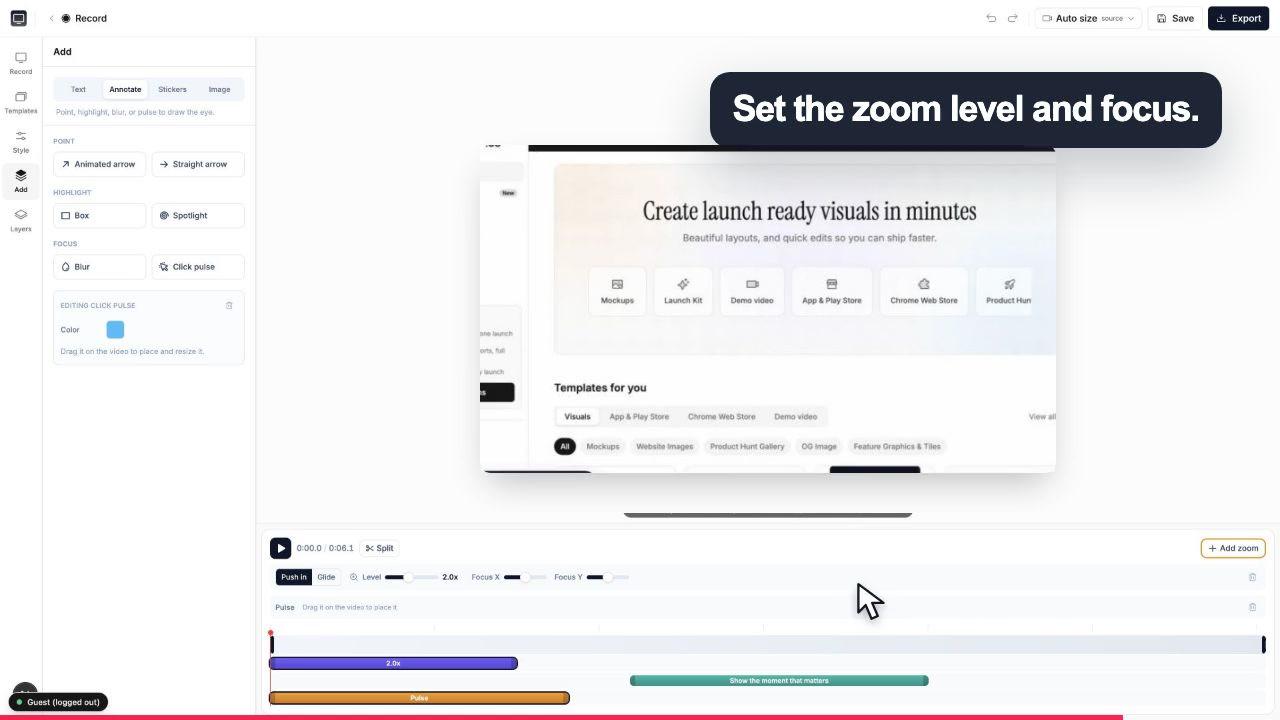
Choose the zoom level and focal point while the real controls stay visible around the canvas.
Export the aspect ratio each place needs from the same demo. No re-recording when the destination changes.
A landscape MP4 that loops behind or beside your headline shows the product working in seconds, which converts better than a wall of feature bullets.
Cut a square or vertical version with a zoom on the one feature the ad promises. Same recording, reframed for the feed instead of a fresh shoot.
Add your webcam for a founder intro, zoom through the core flow, and export the gallery video that makes hunters actually try your product.
Studio is part of Launch Kit, so the same tool also makes your App Store screenshots, device mockups, and OG images. One place for every launch visual.
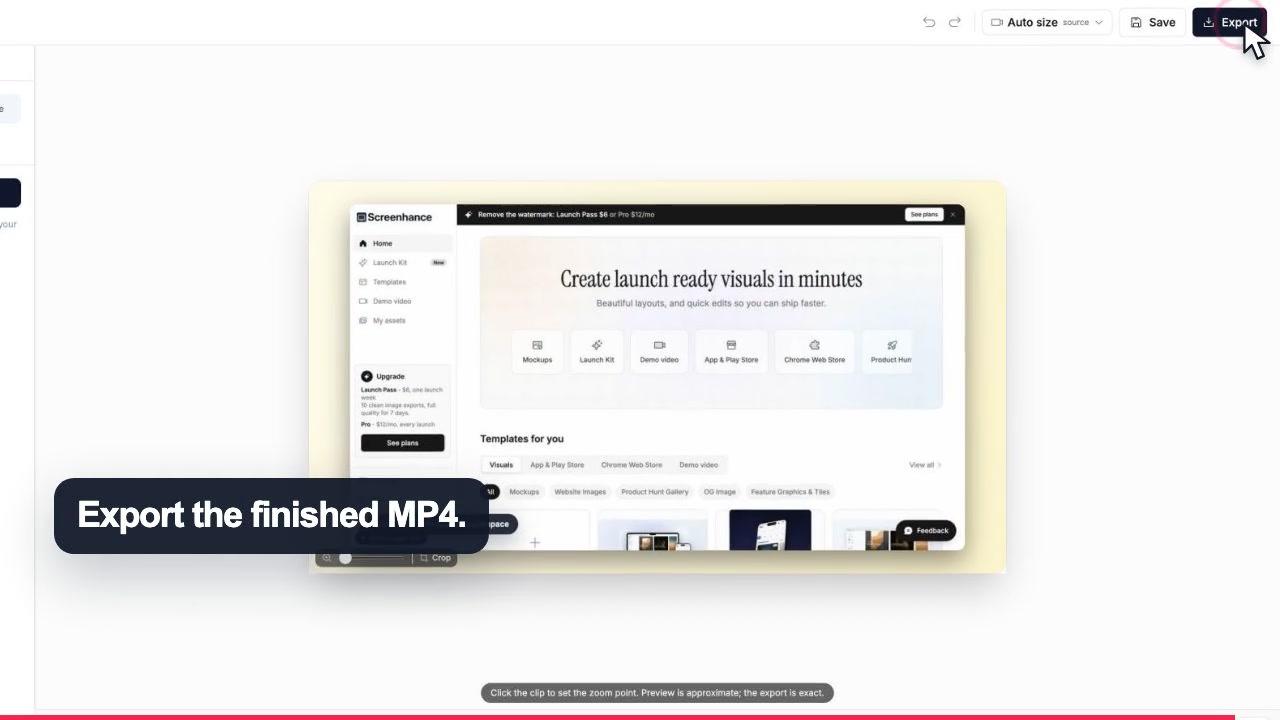
16:9
Landing pages and YouTube
1:1
Feed posts
9:16
Reels and Shorts
Open Screenhance Studio in your browser and record your screen, optionally with your webcam in the corner. Walk through the flow you want to show. When you stop, you land in the editor: click on the moments that matter to place a zoom, wrap the recording in a device or browser frame over a background, add captions, and export an MP4. There is nothing to download and it works on macOS, Windows, and Linux.
Yes, Studio is free to start. You can record, edit, add zooms and frames, and export. Free exports carry a small Screenhance watermark. Removing it from video takes Pro at $12 per month or $99 per year; the $6 Launch Pass covers a launch week of watermark-free image exports (10 in 7 days), while video exports keep the watermark.
It is the signature feature. Instead of your viewer squinting at a full-screen recording, you click the exact part of the frame that matters and Studio zooms into it, then back out. It guides the eye to the button, the number, or the result you want them to notice. For a SaaS demo, this is the difference between showing your product and pointing at the one thing that sells it.
Yes. Studio is a browser-based screen and webcam recorder. You can record just your screen, or add your webcam so your face appears alongside the app, which works well for founder-led demos and Product Hunt videos where a person builds trust.
You can export in square, portrait, and landscape aspect ratios, so the same demo can become a landing-page hero, a YouTube video, or a vertical clip for social. Studio exports MP4 and WebM, and also GIF when you want a lightweight looping preview.
That is the point. You wrap the recording in realistic device frames and macOS or browser window chrome, set it over gradient and preset backgrounds, and add captions in custom fonts plus annotations and stickers. Ready-made demo-video templates give you an on-brand starting point instead of a blank canvas, so the finished video looks deliberate rather than screen-recorded.
Yes. Studio is part of Launch Kit, the same Screenhance tool you use for App Store screenshots, device mockups, and OG images. Your demo video, your store screenshots, and your social cards come out of one place and share the same frames, backgrounds, and brand look, so every launch visual is consistent.
Anywhere you would put a product video. Drop the landscape MP4 into your landing-page hero, use it in paid ads, upload it to your Product Hunt gallery, embed it in docs or a changelog, or cut a vertical version for social. Because you control the aspect ratio and framing, you export the right shape for each place without re-recording.
Still weighing it? The editor is free and opens in one click: open Studio →
Record, edit, frame, and export the next version of your product video.
Polished demo videos with click-to-place zoom
Start creatingRecord, click-to-zoom, frame, and export a demo video
Start creatingFrame, caption, zoom, and export a raw recording as a polished MP4
Start creatingRecord, zoom into each step, and export a how-to video
Start creatingRecord, zoom, and caption product onboarding videos
Start creatingRecord a tab with cursor and click data for smooth motion and auto zoom
Start creatingRecord your app, zoom into what matters, frame it, and export an MP4 for your landing page, ads, or Product Hunt. Free to start, right in the browser.