ScreenhanceBeta

Launch assets for your Replit app

You shipped the app. Now ship the launch: App Store and Play Store screenshots in every required size, an OG image, a Product Hunt gallery, and a website hero. Upload screenshots of your Replit app and export all of it in minutes.

Olivia RhyePhoenix BakerLana SteinerDemi WilkinsonDrew Cano
4.9

Loved by 2,000+ creators

Templates for Every Replit Launch Asset

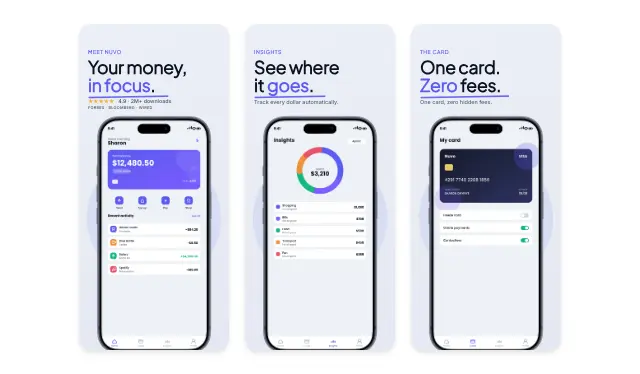
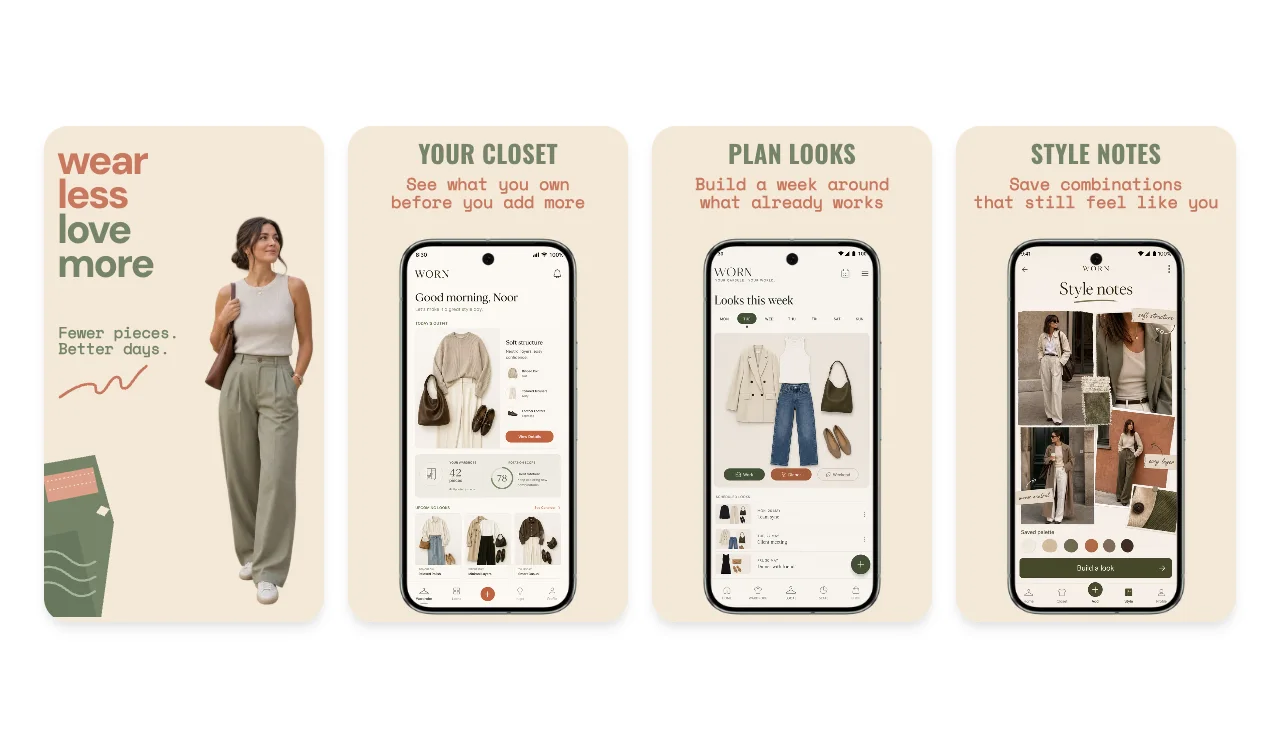
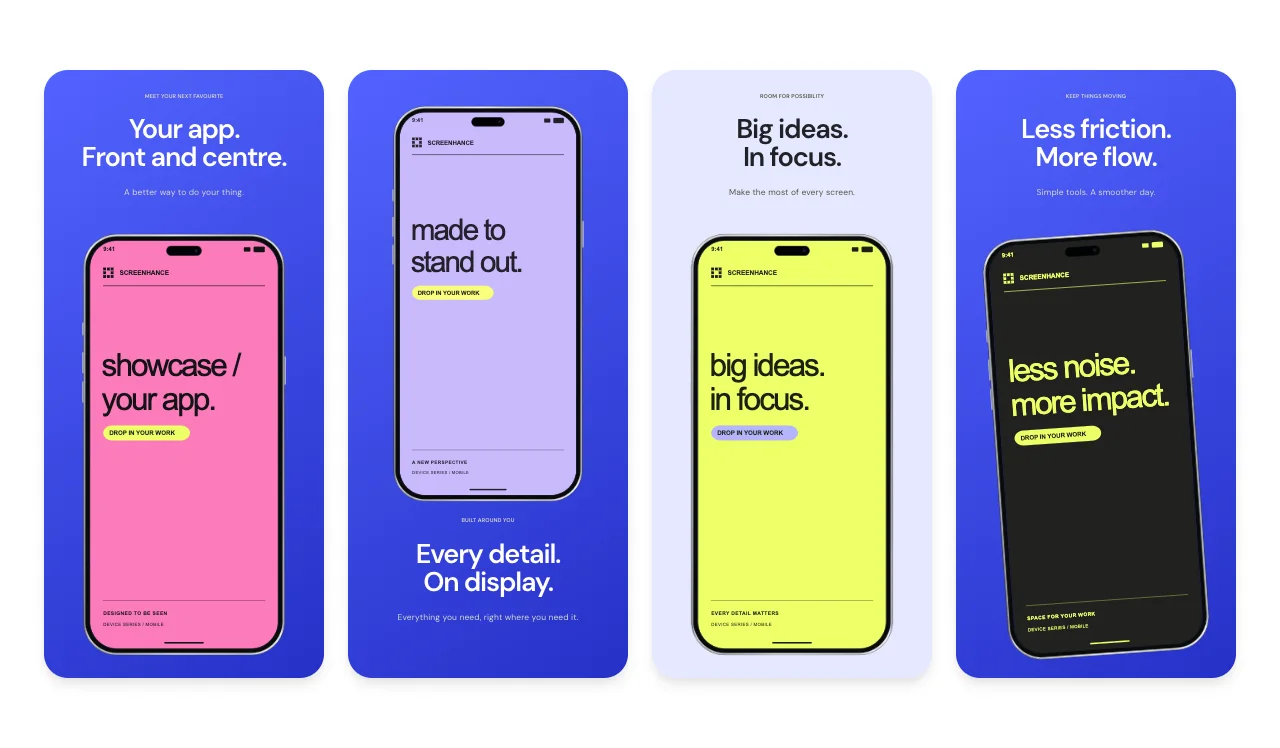
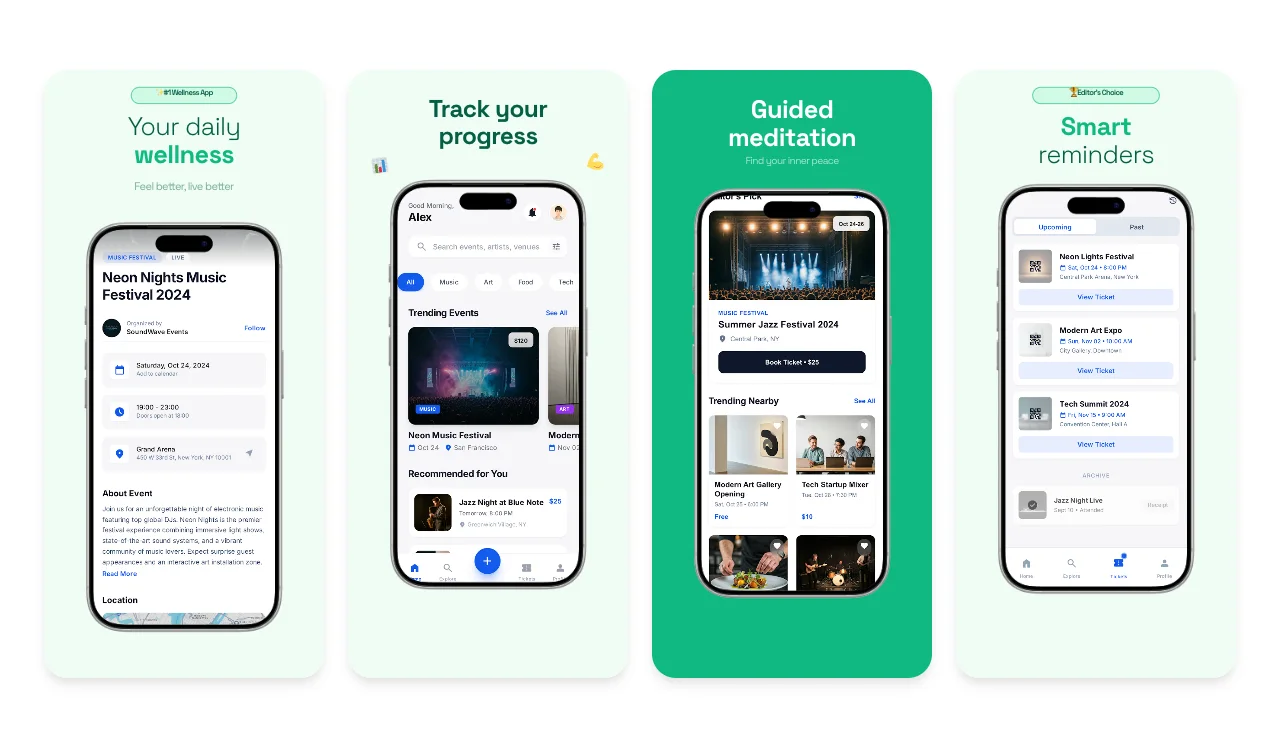
App Store and Play screenshot sets, device mockups, OG images, and Product Hunt slides. Pick one, drop in screenshots of your Replit app, and export every size the stores require.

App Store Screenshots for Your Replit App

Since Replit added mobile app building in January 2026, thousands of vibe-coded apps are heading to the App Store and Google Play, often built by one person with zero design resources. The store listing is the one launch asset you cannot skip: Apple and Google require screenshots before you can publish, and they are strict about dimensions. Upload the wrong sizes and your submission gets rejected, which can cost you days in review.

Screenhance handles the sizing for you. Design your screenshot set once, with captions and device frames, then export every required size from that single design. If you want to go deeper on store listings, our dedicated App Store screenshot generator page covers caption strategy and what converts browsers into installs.

1320 x 2868

iPhone 6.9 inch (required)

1290 x 2796

iPhone 6.7 inch

All sizes

Plus iPad & Google Play

An OG Image for Your Replit App

The moment you announce your launch, people share the link. The OG image is the 1200x630 preview card that renders with that link on X, LinkedIn, Slack, and Discord. Skip it and your announcement shows up as a bare URL or a random cropped screenshot, which quietly kills click-through on the biggest traffic day your app will have.

Screenhance's OG image generator templates put your app screenshot in a device frame with a headline, pre-sized to the exact format every platform expects. Reuse the same screenshots you captured for your store listing so the whole launch looks coordinated.

A Product Hunt Gallery That Shows What You Built

Product Hunt is where AI-built apps get discovered, and launches from Replit builders do well there when the visuals hold up. Your gallery is up to 8 images at 1270x760: a hero shot first, then feature highlights, then a closing CTA. Hunters scroll fast, so the first image has to communicate what your app does in about a second.

Our Product Hunt gallery generator has templates pre-sized to the exact format, with device mockups and headline layouts that pass that one-second test.

Launch visuals for Replit apps, from raw capture to polished asset

To be clear about how this works: Screenhance does not connect to your Replit workspace, and there is no plugin to install. You bring screenshots of your app, and Screenhance turns them into launch assets. That separation is a feature. It means it works with any app you build, on any stack, today.

Getting the raw captures takes a few minutes. For a mobile app, run it on your phone or in a simulator and use the built-in screenshot shortcut on the screens that matter: onboarding, the core action, the result. For a web app, open the deployed URL in your browser and capture each key screen. Do not worry about backgrounds, framing, or resolution niceties. The templates handle that.

The same captures also power your website hero. Instead of pasting a raw screenshot onto your landing page, drop it into a device mockup on a clean gradient so the page looks like a product, not a prototype. And if you are planning the launch itself, not just the assets, read our full launch checklist for AI-built apps for the step by step plan, from store listing to launch day posts.

How It Works

Create professional mockups in three simple steps. No design skills required.

Step 1

Upload your screenshot

Drag and drop or select any screenshot, design, or image from your device.

Step 2

Choose frame & background

Pick from iPhone, iPad, MacBook, browser frames and beautiful gradient backgrounds.

Step 3

Export & share

Download as PNG, WebP, JPEG, GIF, or video. Ready for marketing in seconds.

Why Choose Screenhance?

Two capabilities that separate Screenhance from every other mockup tool in 2026: animated exports and App Store screenshot localization.

Animated GIF & WebM exports

Template-driven motion — float, reveal, parallax. Export animated mockups at Product Hunt, landing-page, and Twitter/X dimensions. Most mockup tools are static-only.

App Store localization in 80+ languages

One master design, per-locale captions, every required Apple and Google Play size per language. RTL and CJK support. Apple reports localized listings drive 2-3x install lifts.

Every required Apple & Google size

iPhone 17 Pro Max (1320×2868), iPhone Air (1260×2736), iPad Pro M4 (2064×2752), and the full Google Play set — exported from one design in a single pass.

30 seconds, zero design skills

Pick a template, drop in your screenshot, export. No Figma, no Photoshop, no learning curve. Free tier covers 3 exports a month; $6 Week Pass unlocks unlimited for a launch.

Frequently Asked Questions

Does Screenhance work with apps built on Replit?

Yes. Screenhance works with any app, whatever built it. There is no plugin or integration to set up: you take screenshots of your Replit app and upload them, and Screenhance turns them into store screenshots, OG images, Product Hunt galleries, and website heroes.

What launch assets does my Replit app actually need?

If you are shipping to the App Store or Google Play, store screenshots are mandatory and size strict. Beyond that: a 1200x630 OG image so shared links look professional, a Product Hunt gallery if you are launching there, and hero visuals for your landing page. Screenhance covers all four from the same set of screenshots.

What sizes do App Store screenshots need to be?

Apple requires 6.9 inch iPhone screenshots (1320x2868), and you will also want 6.7 inch (1290x2796), 6.5 inch, and 13 inch iPad sizes. Google Play has its own requirements. Submitting the wrong dimensions gets your listing rejected. Screenhance exports every required size from one design.

How do I get screenshots of my Replit app?

For a Replit mobile app, run it on your phone or in a simulator and use the built-in screenshot shortcut. For a web app, open the deployed URL in your browser and capture the screen. Upload the raw captures to Screenhance and the templates handle framing, backgrounds, and text.

Is Screenhance free to use?

Yes, Screenhance has a free plan with 3 exports per month, enough to get your first launch assets out the door. Pro plans unlock higher resolution exports and additional features.

Do I need design skills to make these assets?

No. That is the point of this page: Replit removed the coding barrier, Screenhance removes the design barrier. Every template is pre-sized and pre-composed. You drop in screenshots, change the text, and export.

✦ New · Launch Kit

Need the rest of your launch set?

You'll also need Play Store screenshots, a Product Hunt gallery, an OG image, and a website hero. Upload your screenshots once and Launch Kit generates them all, on-brand and matching.

You Built the App. Now Launch It.

Store screenshots, OG image, Product Hunt gallery, website hero: everything your Replit app needs to launch, from the screenshots you already have.