
7 Screenshot Mistakes That Make Your Product Look Amateur
These common mistakes are hurting your product's image. Learn what to avoid and how to fix each one.
Your product might be amazing, but bad screenshots can make it look amateur. Here are the seven most common mistakes and how to fix them.
1. Low Resolution Exports
The mistake: Exporting screenshots at 1x resolution, then displaying them on retina screens where they look blurry. Why it hurts: Blurry images signal low quality. Visitors subconsciously assume the product is as fuzzy as the screenshots. The fix: Export enough pixels for the image's largest rendered size and target display density. Provide responsive variants so smaller screens do not download an unnecessarily large file.2. Visible Browser Chrome
The mistake: Including your browser tabs, bookmarks bar, and extensions in screenshots. Why it hurts: It's distracting. Nobody cares about your 47 open tabs. It also reveals personal information sometimes. The fix: Use a browser frame instead of a full screenshot. Or crop tightly to just show your product.3. Placeholder Data
The mistake: Screenshots full of "John Doe," "Lorem ipsum," and "123 Main Street." Why it hurts: It looks unfinished and makes it hard for visitors to imagine real use cases. The fix: Use realistic (but fake) data. Real company names, real-looking emails, plausible numbers. It takes a few extra minutes but makes a big difference.4. Outdated Device Frames
The mistake: Using a device frame that misrepresents the supported hardware or dates the product unintentionally. Why it hurts: It makes your product look dated even if it's brand new. The fix: Use a frame that matches the device you are demonstrating. Refresh it when hardware accuracy or a current-device signal matters to the campaign.5. Inconsistent Styling
The mistake: Different background colors, different device frames, different padding across your screenshots. Why it hurts: It looks unprofessional and unplanned. Like you threw things together last minute. The fix: Create a style guide for your screenshots. Same background gradient, same device frame, same padding. Apply it consistently.6. Too Much Content
The mistake: Trying to show everything in one screenshot. The entire dashboard, all the sidebar items, every feature at once. Why it hurts: It's overwhelming. Visitors don't know where to look. The message gets lost. The fix: Focus each screenshot on one thing. Crop to the relevant area. One feature, one screenshot.7. No Context
The mistake: Raw screenshots with no device frame, no background, no styling at all. Why it hurts: It looks like you didn't try. In a world of polished product pages, raw screenshots stand out for the wrong reasons. The fix: Add context when it helps: a device frame, background, caption, or intentional padding. A screenshot beautifier can keep that treatment consistent.The Common Thread
All these mistakes share one thing: they signal that you didn't put care into the presentation.
And if you didn't care about how your product looks, visitors wonder what else you didn't care about.
Quick Fixes
Here's a checklist for every screenshot:
- Does it have enough intrinsic resolution for the intended placement?
- Is browser chrome removed?
- Is the data realistic?
- Is the device frame current?
- Does it match other screenshots?
- Is it focused on one thing?
- Does it have proper styling (frame, background)?
Run through this list before publishing any screenshot. A startup screenshot tool can help you fix most of these issues automatically, whether you are preparing visuals for your landing page or app store listing.
The Two Categories of Screenshot Mistakes
Screenshot problems often fall into one of two buckets. Identifying the bucket helps you decide what to fix first.
Category 1 — Capture mistakes. The screenshot itself is wrong: wrong viewport size, wrong window state, wrong data, wrong UI state. No amount of pretty framing fixes a bad capture. Catch these at the moment of screenshotting by following a pre-capture checklist: production URL, real user data (or believable fake data), correct viewport, full window not just visible area, no system overlays. Category 2 — Presentation mistakes. The screenshot is fine but the framing is wrong: no device frame, mismatched backgrounds, missing padding, wrong aspect ratio for the destination platform. These are quicker to fix because the source screenshot is correct — you just need to re-present it in a screenshot beautifier or mockup generator.Capture mistakes can require re-running the workflow, re-loading the app, and sometimes coordinating with the product team. Presentation mistakes may be fixable without recapturing. Check the source capture before spending time on framing.
What Separates a Pro Screenshot From an Amateur One
The difference is usually three details, none of which are about design talent:
1. The data inside the screenshot is real or believable. Obvious placeholders can distract from the workflow. Use properly authorised, anonymised data or realistic synthetic data, then inspect the image at its intended size.
2. The screenshot is cropped to one job. Amateur screenshots show the whole product UI: sidebar, header, secondary navigation, all of it. Pro screenshots crop tightly to the one feature being discussed. Less context, more focus.
3. The frame style is consistent across related images. Several unrelated browser and phone treatments on one page can make the visual system feel accidental. Define when each frame style is used and apply that rule consistently.
Fixing these details can make the screenshots easier to read and the page more visually consistent without changing the product itself.
Frequently Asked Questions
How big a deal is a low-resolution screenshot in 2026?
A screenshot that contains small interface text can look visibly soft when its intrinsic resolution is below the rendered size at the device's pixel density. Export for the actual placement, use responsive variants on the web, and follow the destination's required pixel dimensions for store assets.
Should I redact sensitive data or recreate the screen?
Redact when only a small amount of information is sensitive. Recreate the screen when redaction would dominate the image, such as a dashboard full of customer rows. Use real data only with appropriate permission and safeguards; realistic synthetic data is often the safer choice.
Are animated screenshots overkill for marketing pages?
Animation can clarify an interaction that a static image cannot, but it also adds loading, accessibility, and playback considerations. Use one focal animation when motion serves the explanation, provide a poster frame, and test it against the static alternative on your own page.
What about screenshots in dark mode vs light mode?
Match the product state most of the intended audience will encounter, or show both themes when that choice is important. Avoid presenting a theme that makes the marketing image materially different from the first-use experience.
How often should I refresh marketing screenshots?
Refresh a screenshot when a visible product change makes it inaccurate. A recurring audit can catch less obvious drift; choose the cadence based on how often the pictured parts of the product change.
How Screenshot Mistakes Cluster by Team Type
Different teams make different mistakes. Knowing which cluster you're in tells you which audit to run first.
Engineering-led teams. Check for presentation drift such as raw browser captures or inconsistent backgrounds across the marketing site. A shared template and browser mockup generator preset can make the handoff repeatable. Design-led teams. Check whether beautifully framed mockups contain stale UI, placeholders, or removed features. A screenshot-review step in the release process can flag visible product changes for recapture. Marketing-led teams. Check whether campaigns and landing-page tests have introduced incompatible mockup treatments. A shared template system can preserve the visual framework while still allowing content changes. Solo founders. Check for avoidable one-off work. A reusable mockup generator preset can reduce repeated setup without forcing every asset into the same composition.Screenshot Audit Checklist for an Entire Site
A one-time audit of every screenshot on your site catches problems faster than fixing them one at a time. Block out two hours and run this list.
1. Inventory every screenshot. Click through every public page (landing, pricing, about, blog, App Store listing) and list each distinct product screenshot. 2. Mark each as fresh, stale, or wrong. Fresh = matches current product UI. Stale = matches a previous version but isn't actively misleading. Wrong = shows a feature that no longer exists or works differently. Stale is amber; wrong is red. 3. Check resolution. Inspect each screenshot's intrinsic dimensions against its rendered size and the target device density. Mark images that appear soft or force the browser to upscale them. 4. Check device frames. Does each frame accurately represent the supported device and the intended campaign? Catalogue any that imply the wrong hardware or make the screenshot look unintentionally stale. 5. Check consistency. Are related screenshots using a coherent background style, device-frame treatment, and accent colour? If the source captures are accurate, some inconsistencies can be fixed by re-rendering them through a shared template. 6. Schedule fixes. Prioritise images that are factually wrong, then schedule stale assets. Batch resolution and consistency fixes into a single re-export pass where possible.A recurring audit makes it easier to catch drift than relying only on ad hoc fixes. Set a cadence that matches the product's release frequency.
Related Reading
- How to Take Better Screenshots: Tips for Professional Results - Capture techniques
- Best Screenshot Size: Complete Guide - Optimal dimensions
- PNG vs JPEG vs WebP: Which Format for Your Screenshots? - Choose the right export format
- Best Screenshot Tools for Developers in 2026 - Tools for developers
Conclusion
Professional screenshots aren't about being fancy. They're about showing that you care about details.
The same attention to detail visitors see in your screenshots is what they expect in your product. First impressions matter.
Don't let simple mistakes undermine all the hard work you put into building something great.
Screenhance examples
Two editable starting points from the Screenhance library, selected for this mockups guide.

Ready to create stunning visuals?
Free to start. No credit card required.
Keep reading
Related, product-tested guides from Screenhance.
How to Display Screenshots on Your SaaS Landing Page
Learn how to choose, frame, and optimize product screenshots for a clear, responsive SaaS landing page.
21 Apr 2026 · 8 min read
Apple Watch Mockup Guide: Framing watchOS Apps in 2026
How to create Apple Watch mockups that sell a watchOS app: choosing 46mm vs 42mm, capturing clean watch screenshots, and the iPhone-plus-Watch layout.
29 May 2026 · 6 min read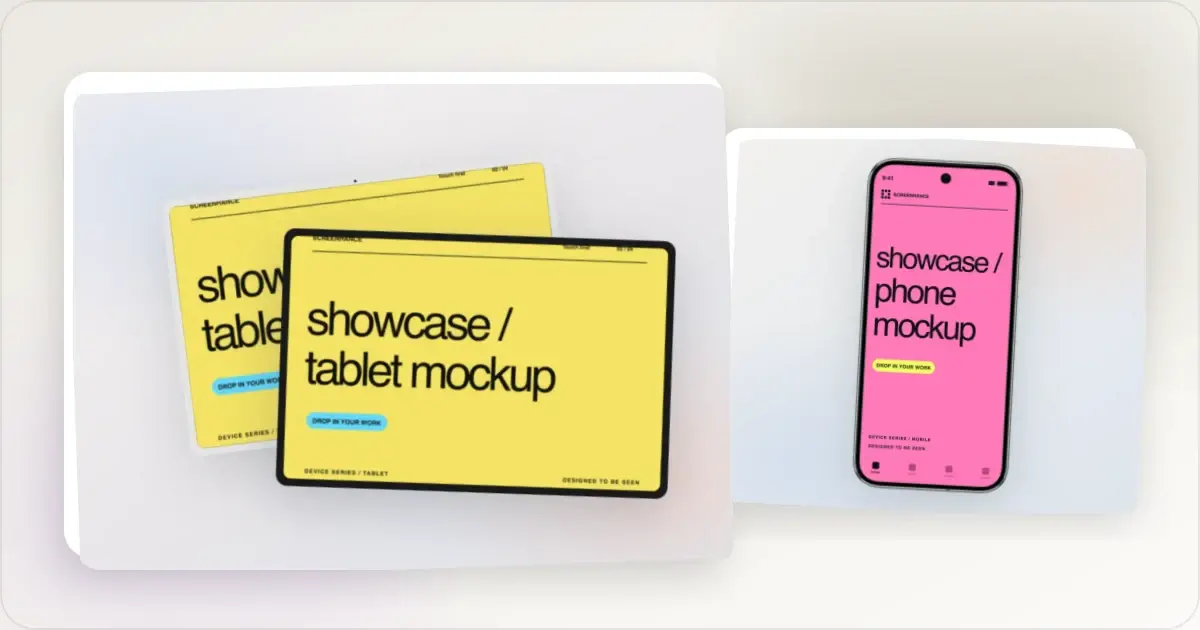
Google Pixel Mockup Guide for Android Marketing in 2026
Choose and use a Google Pixel frame for Android marketing, compare it with a Galaxy treatment, and prepare accurate Play Store visuals.
29 May 2026 · 5 min read